Business Management Icon Pack: A Versatile Tool for Modern Design
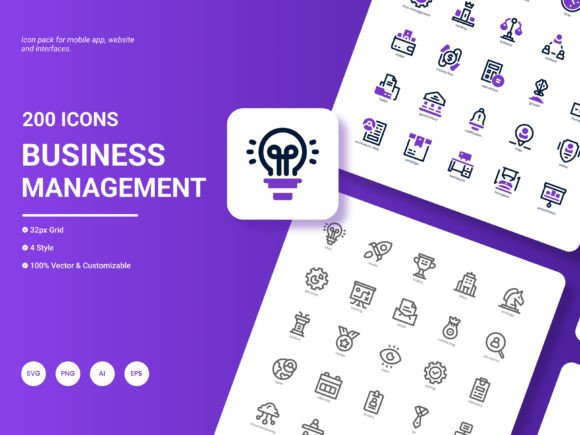
Business Management Icon Pack is a comprehensive collection of 200 stylish icons that cater to the most popular services and ideas in the business world. Whether you're a web designer, app developer, or business professional, this pack offers a fresh and trendy way to enhance your projects.
Why Use Business Management Icon Pack?
In today's fast-paced digital landscape, visual communication is more important than ever. The Business Management Icon Pack provides a visually appealing and easy-to-understand set of icons that can help you convey complex ideas quickly and effectively. This is particularly useful in scenarios where time is of the essence, such as during presentations, or when you need to make an immediate impact, like in marketing materials.
Real-World Applications
Let's dive into some real-world situations where the Business Management Icon Pack can be incredibly useful:
- Website Design: Enhance user experience by adding intuitive icons that guide visitors through your site. For example, use a "shopping cart" icon to direct users to the checkout page or a "help" icon to provide quick access to support.
- Mobile Applications: Incorporate these icons to create a seamless and engaging interface. Icons like "settings," "notifications," and "search" are essential for any app, making it easier for users to navigate and interact with your application.
- Presentations: Elevate your slides with professional and eye-catching icons. Whether you're presenting a business plan, a project update, or a training session, these icons can help you highlight key points and keep your audience engaged.
- Analytical Reports: Make your data more accessible and understandable by using icons to represent different metrics and trends. For instance, a "graph" icon can indicate financial growth, while a "document" icon can signify reports or documents.
- Infographics: Create compelling and informative infographics that capture the attention of your audience. Use icons to break down complex information into digestible chunks, making it easier for viewers to grasp the key messages.
- Website Templates: If you're designing templates for others to use, including a set of high-quality icons can add significant value. These icons can be used to customize the template, making it more versatile and appealing to a wider range of users.
Audiences and Industries
The Business Management Icon Pack is designed to cater to a wide range of audiences and industries. Here’s how different users can benefit from it:
- Web Designers: Access a vast library of icons to create visually stunning and user-friendly websites. The variety of styles and formats allows for flexibility in design, ensuring that each project can have a unique and professional look.
- App Developers: Utilize the icons to build intuitive and attractive mobile applications. The editable nature of the icons means you can customize them to fit the specific needs and branding of your app.
- Business Professionals: Enhance your presentations, reports, and other business documents with these icons. They can help you communicate your ideas more effectively and professionally, leaving a lasting impression on your audience.
- Marketing Teams: Use the icons to create engaging and impactful marketing materials. From social media posts to email campaigns, these icons can help you stand out and deliver your message clearly.
- Educators and Trainers: Incorporate the icons into your teaching materials to make them more engaging and easier to understand. Visual aids are a powerful tool in education, and these icons can help you explain concepts more effectively.
Practical Examples and Observations
Imagine you’re working on a new e-commerce website. You want to ensure that the user experience is smooth and intuitive. By using the Business Management Icon Pack, you can add a "cart" icon to the top right corner of every page, making it easy for users to find their shopping cart. Additionally, you can use a "heart" icon to allow users to save items for later, and a "chat bubble" icon to provide quick access to customer support.
Or, consider a scenario where you’re creating a presentation for a potential client. You need to present a lot of information in a short amount of time. By using icons from the pack, you can create a visually appealing and organized presentation. For example, you can use a "chart" icon to represent financial data, a "lightbulb" icon to highlight innovative ideas, and a "handshake" icon to emphasize partnership opportunities.
Common Considerations
While the Business Management Icon Pack offers a wealth of benefits, there are a few considerations to keep in mind:
- Consistency: Ensure that the icons you use are consistent with your brand’s style and color scheme. The pack includes multiple styles, so choose the one that best fits your brand.
- Clarity: Make sure that the icons you select are clear and easily recognizable. Avoid using overly complex or abstract icons that might confuse your audience.
- Customization: Take advantage of the editable nature of the icons. Customize them to match your specific needs, whether it’s changing the color, size, or adding additional elements.
- Accessibility: Consider the accessibility of the icons. Make sure they are large enough to be seen and understood, especially for users with visual impairments.
Strengths and Limitations
The Business Management Icon Pack has several strengths that make it a valuable tool for designers and professionals:
- Variety: With 200 icons, you have a wide range of options to choose from, covering a broad spectrum of business-related topics.
- Flexibility: The icons are available in six different formats (AI, EPS, SVG, PNG, PDF, JPG), making them compatible with a variety of design tools and platforms.
- Editability: The icons are fully editable, allowing you to customize them to fit your specific needs and branding.
- Trendiness: The icons are designed to be fresh and trendy, ensuring that your designs look modern and up-to-date.
However, there are also a few limitations to be aware of:
- Learning Curve: If you’re not familiar with design software, you may need to spend some time learning how to edit and use the icons effectively.
- Overuse: While the icons are highly versatile, overusing them can make your designs look cluttered and unprofessional. Use them judiciously to maintain a clean and polished look.
If you have any suggestions on what we should include in our next update, please feel free to write to us. We value your feedback and are always looking for ways to improve and expand our offerings.